Elsa
Introduction to the course
This course develops practical skills for working in Unix-like environments, including navigating the command line, managing files, processing text data, writing simple scripts, installing and running programs, using version control, working on remote servers, and creating a webpage with GitHub Pages.
Module 1: Introduction to Command Line Environments
- Setting up the Command Line Environment
- Basics on command line and UNIX system
This week I set up the UNIX system on my Mac laptop and grasped a basic understanding of terminal and its usage. I got to know basic commands in terminal and here is the part of the command list:
| command | explanation |
|---|---|
| mv | changing the name of the file or move files into directories |
| ls | list |
| cp | copy, make a copy doc on the computer |
Module 2: Text processing in UNIX
- Basic text processing commands
- Simple regular expressions
- Formatted text files
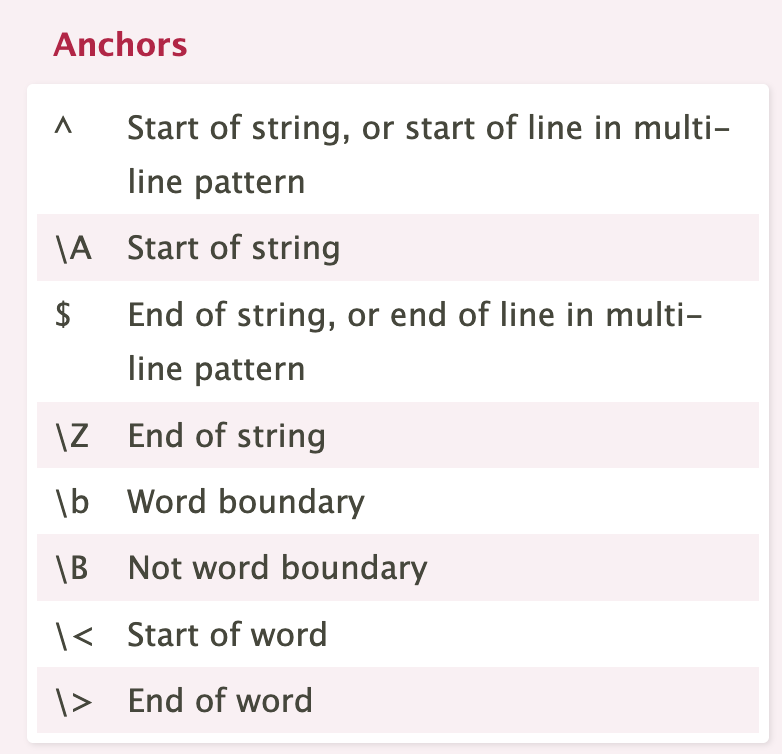
This week I learned about regular expressions and its wide usage in the field of language technology. Also I got hands on regular expression in text processing.
Module 3: Scripting, Configuration Files and Installing Programs
- Basics on scirpts
- Environment variables
- Configuration files
- Root user
This week I got to know bash scripts and got a slight taste of its usage. I also got the idea of environment variables. Basic information of root user was also mentioned in the tutorial videos.
Module 4: Using ssh, scp and Version Control
- Setting up CSC remote server access
- Version control using Git and Github
This week I registered for CSC and set up the remote server access. I also tried version control using Git and Github. Exercise was also performed on this topic.
Final Assignment: Building webpages using Github pages
- Installing Jekyll and usage
- Markdown language
This week I deepended my understanding of markdown langugae and tried it on Github webpages. I also used formerly learnt knowledge to set up Jekyll on my terminal. I workd on my webpage by using these tools.